APA Rate Calculator
for UK Film Crew
Stop guessing what you're owed. CrewDock calculates your APA rates, overtime, travel pay, and penalty clauses instantly. Know exactly what you should be paid before production even sends the timesheet.
14-day free trial · £3.49/month after · Cancel anytime · Powered by Stripe
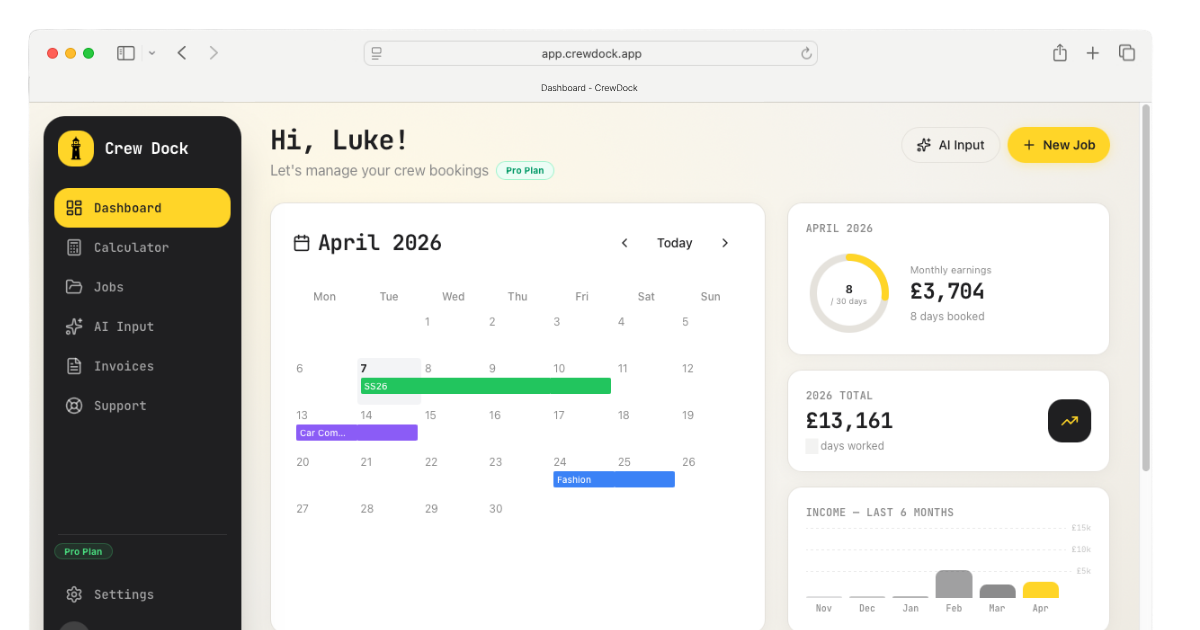
 CrewDock
APA rate calculations are complex.
You shouldn't need a law degree to figure out your day rate.
Overtime rules differ by day type. Basic Working Day, Continuous, Prep, Travel and Rest Day all have separate calculations.
Three overtime grades, triple time after midnight, Time Off the Clock penalties, and missed break rules all change what you're owed.
Manually logging times at the end of a 14-hour shoot is where mistakes creep in. A wrong call time or missed break can change what you're owed.
Everything you need to calculate
your correct rate and get paid right.
Instant APA calculations
Enter your times, get accurate pay. Every overtime grade, penalty, and split handled automatically.
Project history
Every job saved and organised. See your earnings by month, client, or production.
AI Assist
Describe your day or ask it any question. CrewDock fills in the rest.
Invoice direct
Generate a clean invoice from any job in one click.
Bookkeeping integrations
Push jobs straight to QuickBooks, Xero, or FreeAgent. No double entry. More coming.
Sharing jobs with crew
Send any job to a crew member with call time, location, rate, and kit list in one message.
Your correct day rate.
Three steps. No guesswork.
Enter your shoot day
Pick your role, select your day type, and enter your call and wrap times.
Get your APA rate breakdown
Every APA rule applied automatically: overtime grades, meal break penalties, triple time, and mileage.
Save, invoice, and export
Generate a PDF invoice or push the job straight to Xero, QuickBooks, or FreeAgent.
More features. Lower price.
Generous free tier.
| Other apps | CrewDock Free | CrewDock Pro | |
|---|---|---|---|
| Price | £49.99/yr | Free | £3.49/mo or £29.99/yr |
| Projects | Teaser only, then paywall | ✓ 10 active | ✓ Unlimited |
| APA rate calculator | ✓ | ✓ | ✓ |
| Bookkeeping integrations | 1 app only (paid) | ✗ | ✓ QuickBooks, Xero, FreeAgent |
| AI Assist | ✗ | ✗ | ✓ Ask any APA T&C related questions |
| Calendar integration | ✗ | ✗ | ✓ |
| Timesheet generator | ✗ | ✗ | ✓ |
| Invoice direct | ✗ | ✗ | ✓ |
| Share project | ✗ | ✗ | ✓ |
- ✓ Everything in Free
- ✓ Invoice direct
- ✓ Job sharing
- ✓ Timesheet generation
- ✓ AI Assist
- ✓ QuickBooks, Xero, FreeAgent
- ✓ Priority support
14-day Pro trial, no card required.
- ✓ Everything in Pro
- ✓ Pro access for every seat
- ✓ Team admin panel
- ✓ Invite & manage members
- ✓ Rolling seats
- ✓ Dedicated account manager
CrewDock is in beta.
Sign up to get notified when new features launch, including the bookkeeping integrations, mobile improvements, and everything else on the roadmap.
No spam. One email when something worth knowing drops.
Everything you wanted to know
about APA rates and CrewDock.
What is Crew Dock?
Crew Dock is an APA rate calculator for UK film and TV commercials crew. Enter your shoot days and it automatically calculates your correct day rate, including overtime, penalties, travel pay, and mileage, based on the APA Recommended Terms 2025. You can then generate a professional invoice as a PDF or send it directly to your bookkeeping software.
Is it free to use?
Yes. You can start for free with no credit card required. Free accounts include 10 active jobs at a time. When you're ready for more, a 14-day free trial of Pro unlocks unlimited jobs, invoice direct, AI-powered timesheet input, and bookkeeping integrations.
What happens when I reach 10 jobs?
On the free plan you can have 10 active jobs at a time. Once you hit the limit, delete a finished job to free up a slot, or upgrade to Pro for unlimited jobs.
Does it work with my bookkeeping software?
Crew Dock integrates with Xero, FreeAgent, and QuickBooks Online. Once connected, you can export a completed job as a draft invoice with all line items, VAT, and expenses directly into your accounts, without copying anything manually. Integrations are available on Pro.
What is AI input and how does it work?
Instead of filling in the calculator manually, you can describe your work day in plain text. For example, type "8am start, 12-hour day, Sunday, travelled from outside M25" and Crew Dock will parse it and fill the form for you. It's powered by Google Gemini and available on Pro.
Can I cancel anytime?
Yes. You can cancel your subscription at any time from your account settings. You keep Pro access until the end of your current billing period, then revert to the free plan. No penalties, no questions asked.
Can I share jobs with colleagues?
Yes. Pro accounts can generate a share link for a job. The recipient can view the full breakdown and import it into their own Crew Dock account. If they're on the free plan and have already hit their 10-job limit, they'll need to delete a job or upgrade before they can import it.